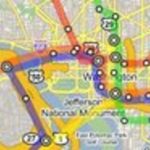
Some of you may remember our venerable DCist Maps project, which provided an overlay of the D.C. Metro system in the classic WMATA style, plus the ability to build your own customized maps. We were proud of the li’l guy, but he had clearly begun to show his age: designed in an era when 800×600 was still a common screen resolution, the map window was ridiculously small. And although we spent an awfully long time coding it, the map customization features clearly weren’t as good as those offered elsewhere.
But we still think that the Metro overlay looks pretty sharp. And now, with Google’s newly launched Mapplets feature, we can offer the overlay while taking advantage of Google Maps features like direction-finding, local searches and map customization. And of course you can use other folks’ overlays in combination with ours, too — for instance, to find geotagged photos near a Metro station. Each Mapplet acts as a layer in the “My Maps” tab that can be toggled on or off.
Click here to add the DCist Metro Mapplet to your “My Maps” sidebar in Google Maps.