View Larger Map
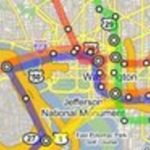
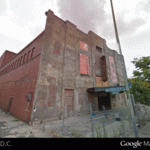
Finally. We’ve been talking about it for over a year, but Google has just launched the Street View feature for D.C. and some surrounding areas (We Love DC had this earlier). The feature, part of Google Maps, lets users see 360 degrees along streets — that means buildings, people, parks, and sometimes shenanigans (at least in other cities).
Nearly every D.C. street is captured, with the exception of Pennsylvania Avenue and E Street NW by the White House, some military areas, and the Hillandale gated community in Burleith. Outside of the District, coverage is a little spottier — most of eastern Montgomery County has Street View, but large portions of western Montgomery and most of Prince George’s don’t. Arlington and Alexandria are nearly complete and some of the streets elsewhere in Northern Virginia, and around Baltimore, Annapolis, and Fredericksburg have been captured. You can even recreate the boring I-95 journey from the North Carolina border to Philly.
To use it, you click the Street View button on the Google Map window, then position your little yellow man where you want to see. You can rotate the man and move him up and down the street. There are some weird things too, like this blurred sign in a parking garage. And unfortunately they didn’t go to Adams Morgan at 2 a.m. Let us know in the comments if you find anything hilarious or strange on our byways.
And now if they could only update their aerial photography of D.C. — the Nats ballpark and American Indian Museum are done and the old Convention Center is long gone, guys.
Eric Denman contributed to this post